
Win STORM

Diagnose issues, optimize and repair your system in a few clicks, whether it is the online OS or one in an external disk...
All the utilities provided with the application, accessible in one place...
Set up the way this computer can be accessed remotelly, the desired scan frequency and alerts...
Control your remote computers almost like if they were in front of you...
Brand the application with your own title, description, icon and logo...
Automate the malware removal and system repair procedure in just a few clicks...
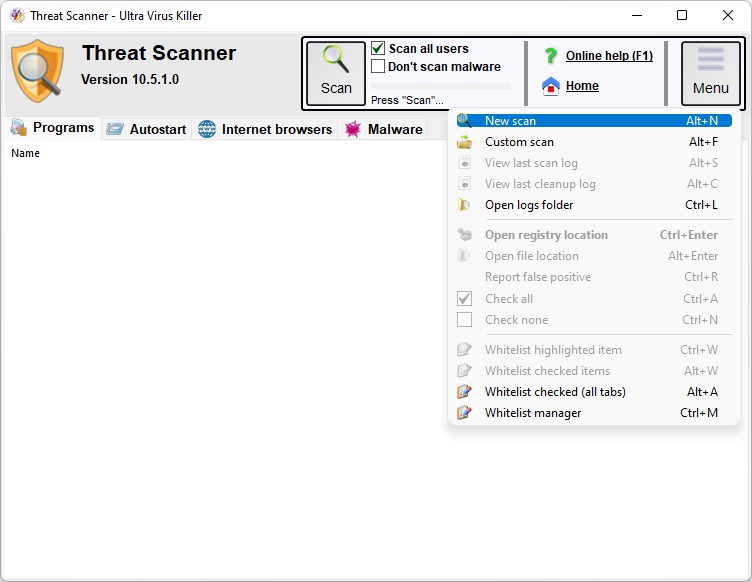
Remove adware and malware for all user accounts within a few minutes...
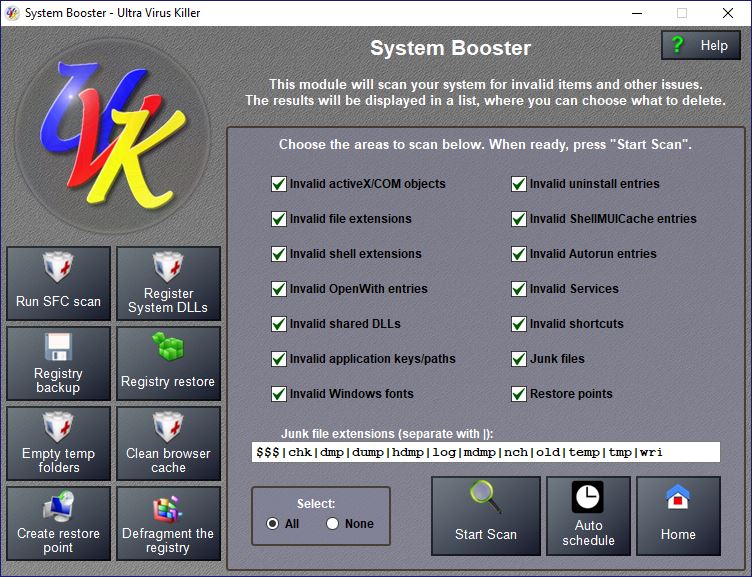
Fix errors and optimize the registry and file system for better performance...
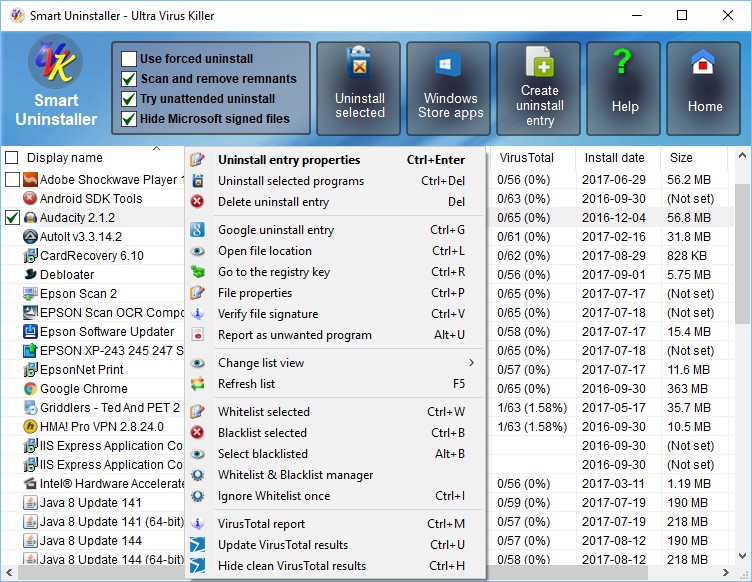
Uninstall several unwanted programs at once, and ensure no remnants are left...
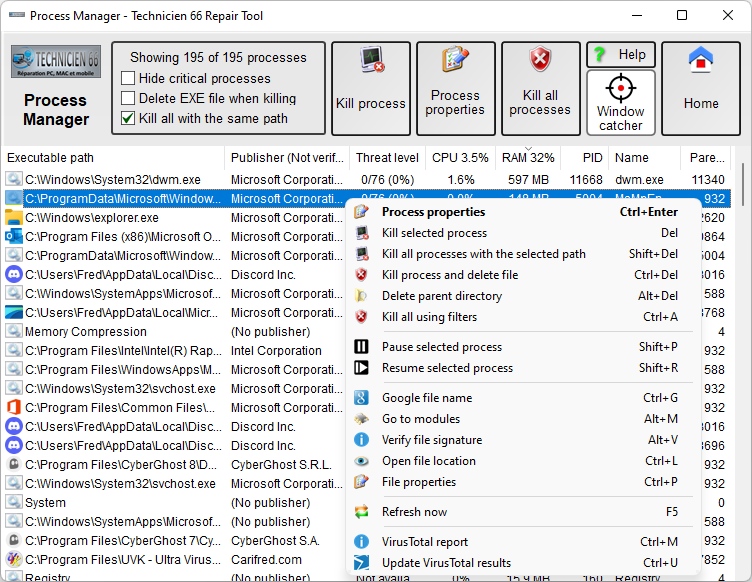
A process manager specially designed to hunt for malware...
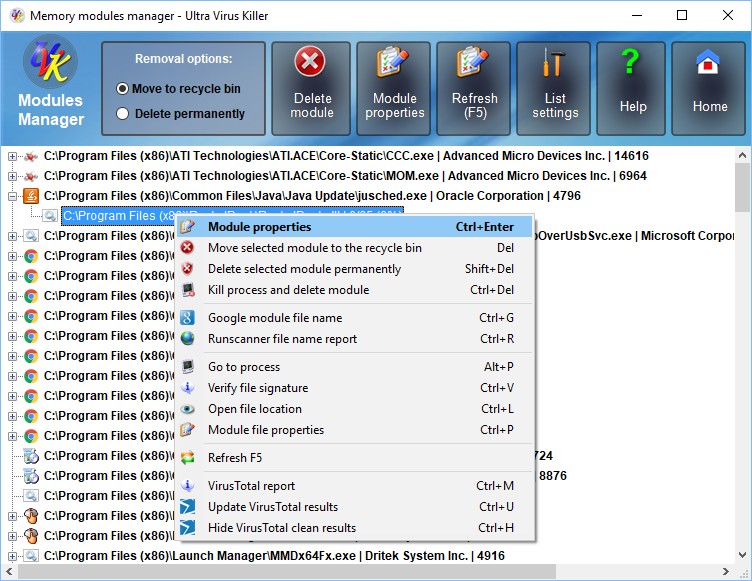
Easily analyze the modules loaded by each process...
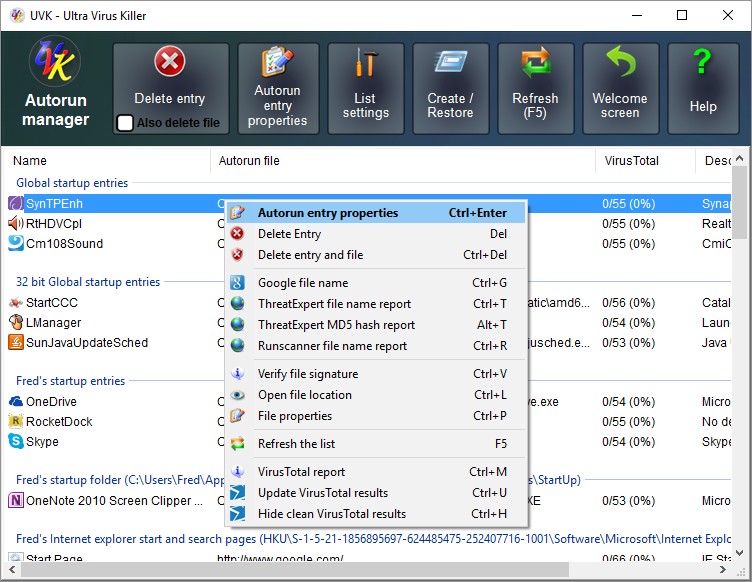
Analyze and delete autorun entries to remove malware and free resources...
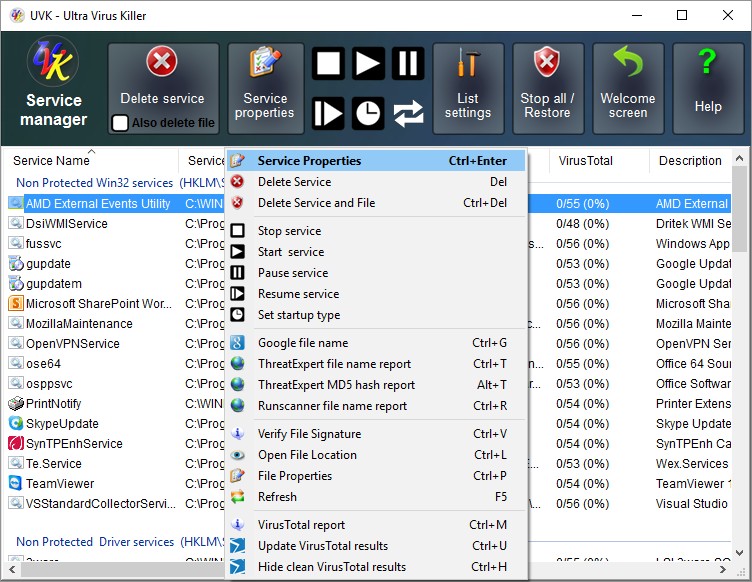
Easily detect and remove infected services and drivers...
And much, much more...
Win STORM stands for Windows Supervising, Tweaking, Optimizing, Repair and Maintenance tool.

Note: Many Win STORM features are free, but some require a user license. You can freely try the application for two weeks. Click the button above for more info.
|
The download links provided in the table below are verified to be
free from adware and spyware. If you're looking for a video tutorial, click here. | ||
|---|---|---|
|
|
Download from our server (recommended) |
WinSTORM.exe WinSTORM.zip |
Release notes:
Current version: 1.0.0.0 | File size: 30.55 MB | Last release date: April 10 2026 13:32:06. | Change log.
Important notes:
Users using this product and software download sites redistributing it declare to have read and agree with our license agreement.
Win STORM overview:
Win STORM is a professional Supervising, Tweaking, Optimizing, Repair and Maintenance tool for Windows.It was designed to provide computer technicians and IT pofessionals with all the tools they need while working on a computer, either locally or remotely. It is currently in beta stage, and may stay so until it is completely debugged and all the product web pages are created.
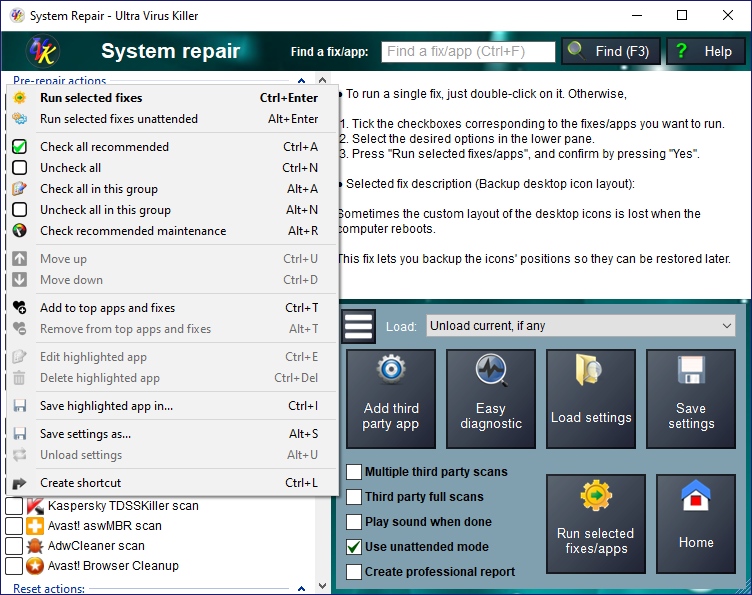
Win STORM was built upon the code of our solid UVK - Ultra Virus Killer, and contains all the functionality of the latter. But lots of new features, have been added to Win STORM. Below we list some of them:
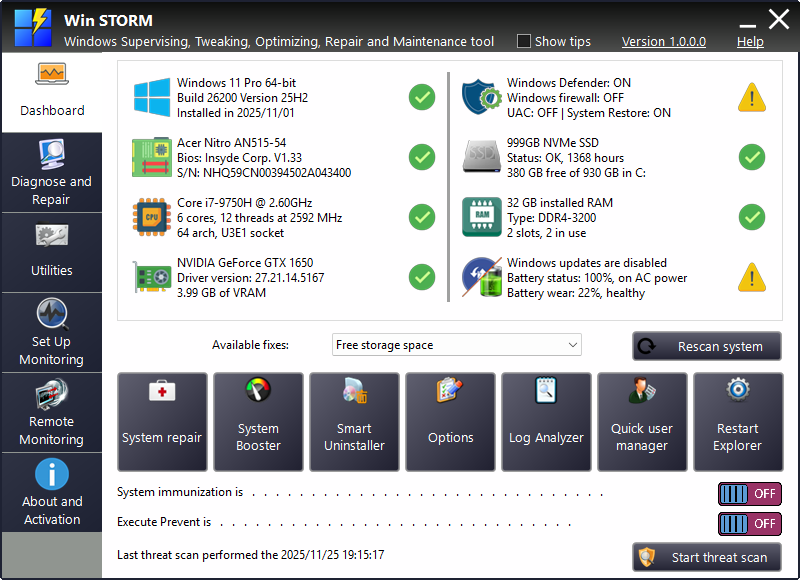
- The Dashboard page:
This page is the starting point of the main application. Win STORM performs a quick scan of your system and displays hardware and software info in this page, which helps identify the machine you're working on, detect and fix issues
Pin your favorite utilities to this page for faster access. Enable or disable System Immunization or Execute Prevent, or quickly start a threat scan. - The Diagnose and Repair
page.
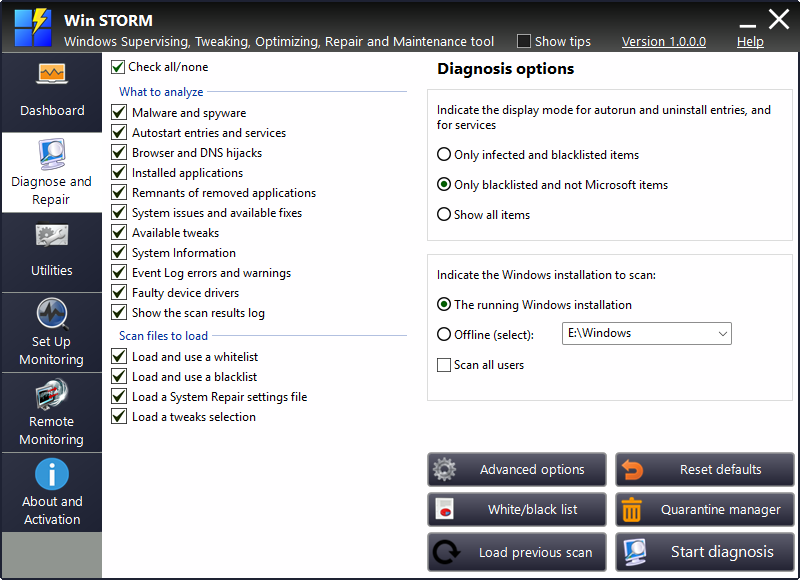
This page lets you scan a Windows system for: Malware, adware, autostart entries, services, Internet browser hijacks, installed applications, system issues and available fixes, system information, event log errors and warnings, and faulty device drivers, among other things. The results are displayed in several lists
During the scan, WinSTORM automatically selects some items for removal/repair. You can manually select other items ad fix all the selected ones in one click.
You can scan offline windows installations, such as in an external disk plugged in a USB port, Deleted items, such as autostart entries and services are quarantined and can be restored later. - The Utilities page:
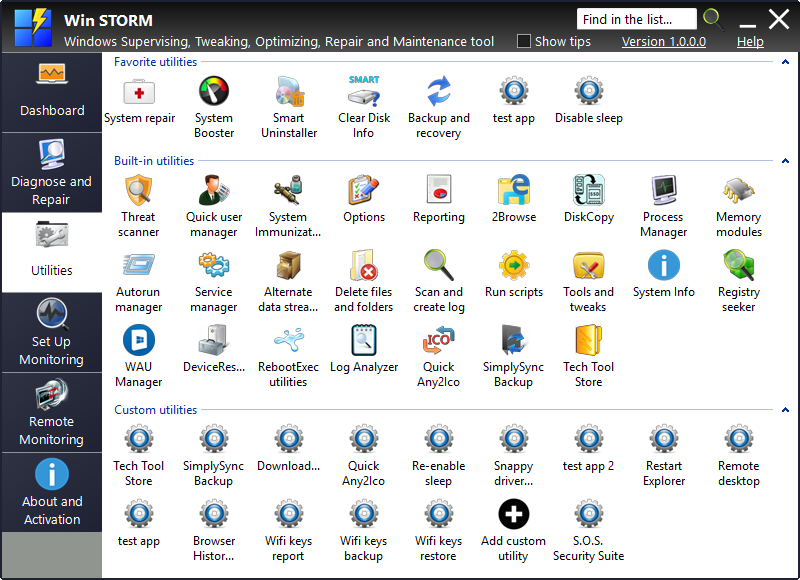
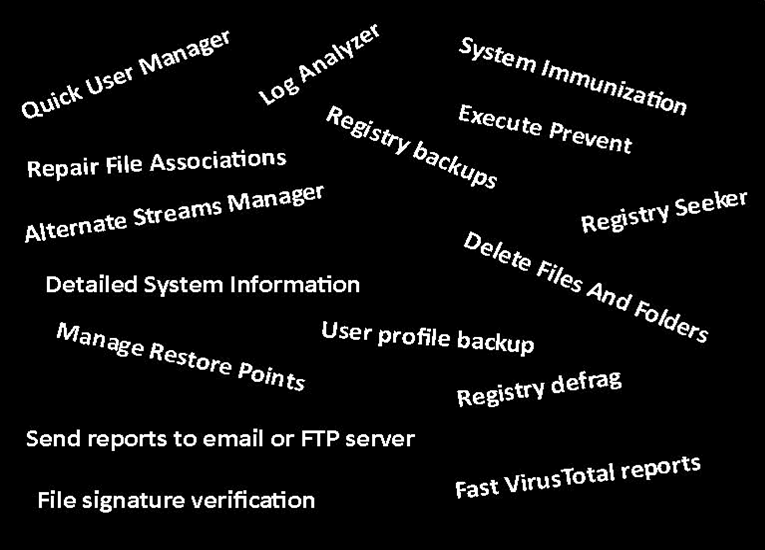
This page lets you run all the utilities provided with Win STORM. This includes all UVK's modules and other utilities, and also Tech Tool Store, SimplySync Backup and Quick Any2Ico.
Double click an utility to execute it. Right click an utility for more options. You can pin utilities to the Dashboard page, move utilities to the Favorites group, which is placed at the top of the list, sort the list's items alphabetically, among other options.
This feature also lets you create your own utilities and save them to the list. Each custom utility can download a file from the Internet, and run several commands.
- The Set Up Monitoring
page:
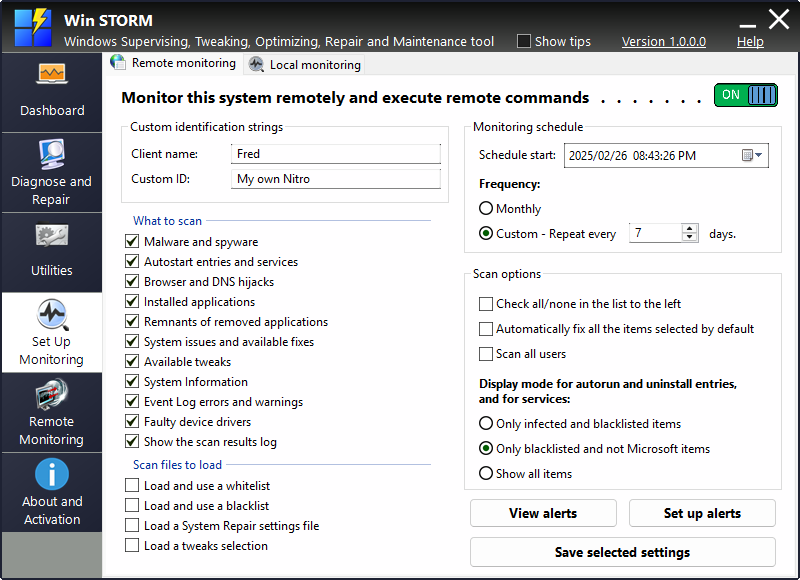
This page lets you enable remote or local monitoring for the current machine. Only computers with remote monitoring enabled can be accessed remotely from the Remote Moitoring page.
In addition to enabling monitoring, you can also set how frequently your computer will be automatically scanned, which parts of the operation system should be scanned each time, and the alerts you want to receive. Scheduled scans and alerts are managed separately for remote and local monitoring.
- The Remote Monitoring
page:
This page lets you access and manage your remotely monitored computers.
You can access the dashboard page and alerts of the remote PC, send commands, execute scripts take remote control and much more. You can also access the system scans that have been executed in the remote PC and fix items, just like if you were working directly in the remote machine.
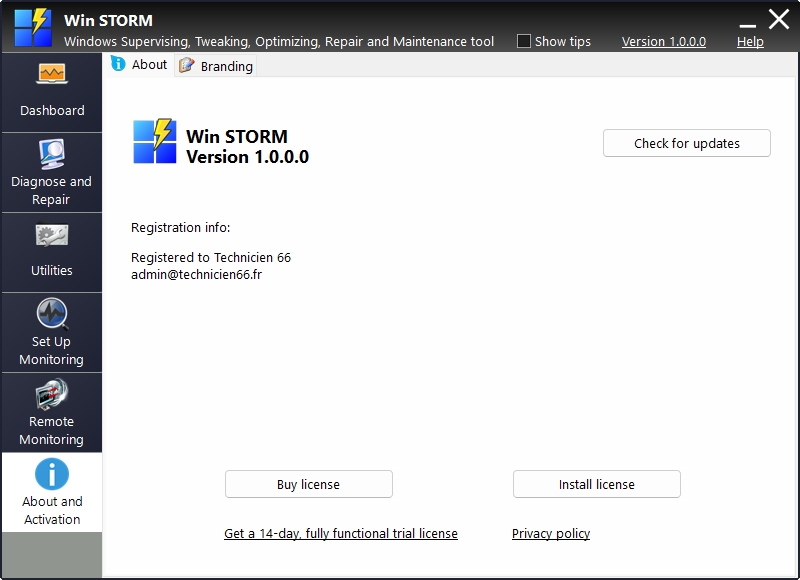
- The About and Activation
page:
In this page, you can activate a PRO or a Trial license. Both these licenses unlock all Win STORM features, including branding the application to your likes, using your own icon, logo, title, description and website URL. Branding is also set up from this page
These are the main features that exist on Win STORM but do not exist on UVK. All remaining features can be accessed from the Utilities page and will behave exactly the same way they do when executed in UVK, except for Tech Tool Store, Quick Any2Ico and SimplySync Backup, which are separate tools not present in UVK.
Development - What we plan to do soon:
- Add more alert types for remote and local monitoring.
- Add a new Diagnose and repair section for Hardware monitoring.
- Add our own remote control app (currently we're using RustDesk).
- F
inish the support for CPU and GPU temperature alerts (you can already set those alerts, but they are not working yet).
- Add support for web RMM control from any device.
Video tutorial
